
Posts

Passed Microsoft exam AZ-103 - Azure Administrator Associate

Six weeks ago, I passed the Microsoft AZ-103 exam and earned the Azure Administrator Associate. A last minute pass, because AZ-104 was already launched. But better late than never. I had to re-schedule the exam a couple of times because the test center was closed due to COVID19.

Patrick Terlisten/ vcloudnine.de/ Creative Commons CC0

Patrick Terlisten/ vcloudnine.de/ Creative Commons CC0

The Azure Administrator Associate is a Administrator-role certification and it is all about implementing, managing and monitoring the Azure identity, governance, storage, compute, and virtual network solutions.
Fan health sensors report false alarms on HPE Gen10 Servers with ESXi 6.7

I’ve got several mails and comments about this topic. It looks like that the latest ESXi 6.7 updates are causing some trouble on HPE ProLiant Gen10 servers.

I’ve blogged about recurring host hardware sensor state alarm messages some weeks ago. A customer noticed them after an update. Last week, I got the first comments under this blog post abot fan failure messages after applying the latest ESXi 6.7 updates. Then more and more customers asked me about this, because they got these messages too in their environment after applying the latest updates.

Missing Microsoft Teams calendar tab with on-premise Exchange

Microsoft Teams got a big push due to the current COVID19 crisis and many of my customers deployed it in the past weeks. At ML Network, we are using Microsoft Teams for more than a year, and we don’t want to miss it anymore.

We are running Exchange 2016 on-premises, currently CU16. We were missing the calendar tab in Teams since we started with Microsoft Teams. when you do some research about this issue, you will find many threads and blog posts, but these are the two key facts:

Connecting to Exchange Online with PowerShell

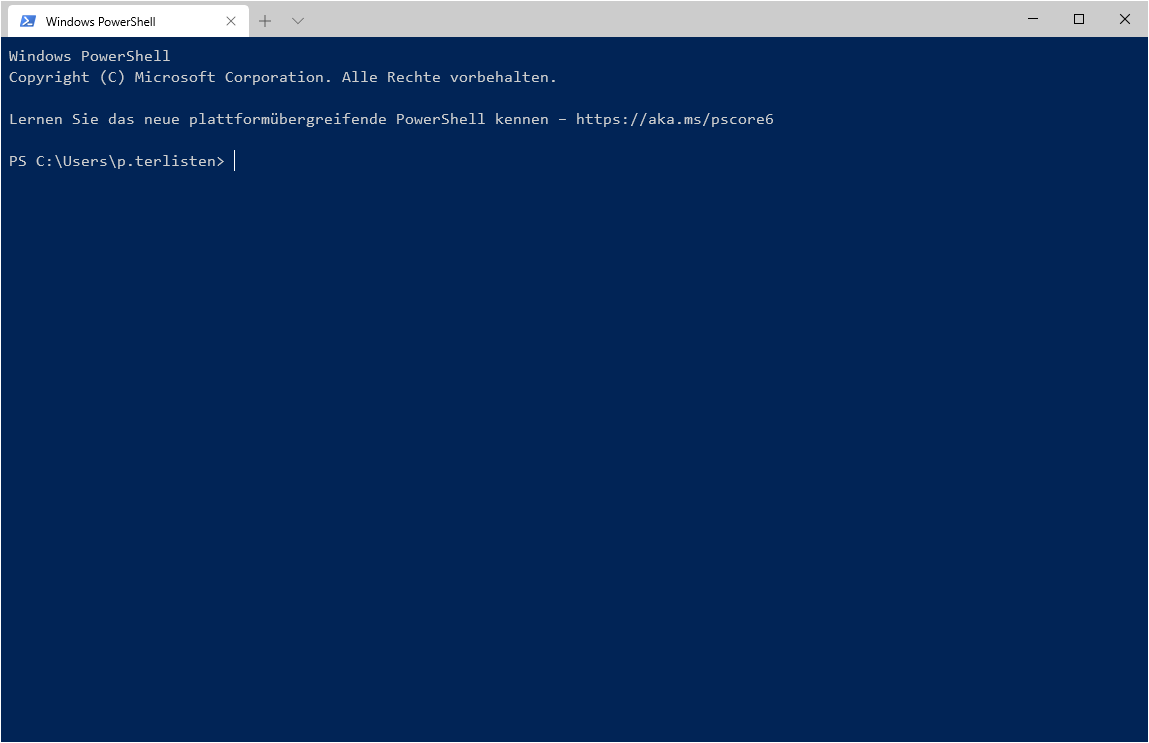
The task was simple: Change the alias and the primary SMTP address of a Microsoft Teams team. This can be done by changing the alias and the SMTP address of the underlaying Office 365 group. But how? All you need is a PowerShell connection to Exchange Online.

Patrick Terlisten/ vcloudnine.de/ Creative Commons CC0

Patrick Terlisten/ vcloudnine.de/ Creative Commons CC0

All you need is a PowerShell on your local computer and Office 365 credentials with the necessary privileges.

Space reclamation of VMFS 5 Datastores using esxcli

It was a bit quiet here in January caused by a new “private project” which has attracted some resources, and will pull more resources in the future.

But this will not stop me from documenting useful stuff. This one is nothing new, but commonly asked by some customers: How do I get my storage capacity back after deleting VMs?!

The outlined steps are all done using esxcli. You need to execute them on a single ESXi host, not on each host in the cluster.

VCAP6.5-DCV Design - Objective 2.4 Build manageability requirements into a vSphere 6.x logical design

This seems to be my last blog post for 2019 and it covers covers objective 2.4 (Build manageability requirements into a vSphere 6.x logical design) of the VCAP6.5-DCV Design exam. It is based on the VMware Certified Advanced Professional 6.5 in Data Center Virtualization Design (3V0-624) Exam Preparation Guide (last update August 2017).

The necessary skills and abilities are documented in the exam prep guide for the older VCAP6-DCV Design exam (3V0-622). I think they also apply to the current version of the exam:

VCAP6.5-DCV Design - Objective 2.3 Build availability requirements into a vSphere 6.x logical design

This blog post covers objective 2.3 (Build availability requirements into a vSphere 6.x logical design) of the VCAP6.5-DCV Design exam. It is based on the VMware Certified Advanced Professional 6.5 in Data Center Virtualization Design (3V0-624) Exam Preparation Guide (last update August 2017).

The necessary skills and abilities are documented in the exam prep guide for the older VCAP6-DCV Design exam (3V0-622). I think they also apply to the current version of the exam:

Why we need a vSAN licensing for SMB customers

Not every customer is running a full-blown vSphere Enterprise Plus licensing. To be honest, when I look at the number of sold licenses, most of my customers are running vSphere Essentials Plus. Not Essentials, nor Standard or Enterprise (Plus), but two or three hosts with Essentials Plus. And that’s perfectly fine!

Two or three hosts with 10 GbE and pretty often 12G SAS. Some of them with Fibre-Channel, nearly no one with iSCSI. My colleagues and I developed a pretty rock solid setup over the last years, which we sell like some kind of building block: HPE ProLiant, HPE MSA, Aruba Switches, vSphere Essentials Plus. A perfect setup for most of our customers, which run something between 10 and 30 VMs on it. Some of them also add Horizon View (Add-On) to it.

VMware ESXi 6.7: Recurring host hardware sensor state alarm

If you found this blog post because you are searchting for a solution for a FAN FAILURE on your ProLiant Gen10 HW after applying the latest ESXi 6.7 patches, then use this shortcut for the workaround: Fan health sensors report false alarms on HPE Gen10 Servers with ESXi 6.7

I had a really annoying problem at one of my customers. After deploying new VMware ESXi hosts (HPE ProLiant DL380 Gen10) along with an upgrade of the vCenter Server Appliance to 6.7 U2, the customer reported recurring host hardware sensor state alarm messages in the vCenter for all hosts.

VCAP6.5-DCV Design – Objective 2.2 Map service dependencies

This blog post covers objective 2.2 (Map service dependencies) of the VCAP6.5-DCV Design exam. It is based on the VMware Certified Advanced Professional 6.5 in Data Center Virtualization Design (3V0-624) Exam Preparation Guide (last update August 2017).

The necessary skills and abilities are documented in the exam prep guide for the older VCAP6-DCV Design exam (3V0-622). I think they also apply to the current version of the exam:

  • Evaluate dependencies for infrastructure and application services that will be included in a vSphere design
  • Create Entity Relationship Diagrams that map service relationships and dependencies
  • Analyze interfaces to be used with new and existing business processes
  • Determine service dependencies for logical components
  • Include service dependencies in a vSphere 6.x Logical Design
  • Analyze services to identify upstream and downstream service dependencies
  • Navigate logical components and their interdependencies and make decisions based upon all service relationships

Let’s start with the second topic of this objective.